Timer
5 Minute Timer: A Task Atlas And Three Exact Routines
A practical five-minute task atlas with three timed routines and a decision rule for stopping, extending once, or chaining equal rounds.
By Vigneshwaran Vijayakumar, Developer and Publisher | | Reviewed under the ClockTools editorial policy
Table of contents
A 5 minute timer works best when the task has one visible finish line: write three bullets, clear one surface, or turn raw meeting notes into a short action list. Open the ClockTools timer, choose 5 min, and press Start. The preset selects 05:00 but does not start the countdown for you; that separation gives you a moment to name the result before time begins. Five minutes is a boundary, not proof that a task should be finished. At the bell, stop if the deliverable exists, extend once if a bounded next step remains, or chain equal rounds only if each round has its own definition. For open-ended work where you want to discover how long it takes, use the stopwatch instead.
Start With A Deliverable, Not A Category
“Work on the report” is too broad for five minutes. “Write the three questions the report must answer” fits. “Study chemistry” has no edge. “Recall the four steps in one reaction without looking” does.
The distinction is simple: a five-minute block needs a result that can be seen or checked when the countdown reaches zero. The result can be small. It does not need to complete the larger project.
This is also why the five-minute approach can help with starting. The University of Virginia's Academic Support team recommends identifying the smallest possible step in an avoided project and committing to begin for five minutes. That advice does not promise that a large task will be finished in five minutes; it makes the first action concrete.
Use this sentence before setting the timer:
When the display reaches 00:00, I will have __________.
If the blank cannot be completed with a specific noun—a list, a cleared area, three questions, one checked paragraph—the task probably needs to be divided again.
The Five-Minute Task Atlas
The atlas below classifies tasks by shape rather than by audience. It is an original planning aid, not a claim that everyone works at the same speed.
| Task shape | Five-minute finish line | Fit | Boundary to protect |
|---|---|---|---|
| Extract | Three action items from one page of notes | Strong | Do not reread the entire meeting transcript |
| Recall | Three remembered points and one marked gap from one short section | Strong | Do not turn the block into a full study session |
| Reset | One defined desk, counter, or digital folder returned to a usable state | Strong | Do not expand into the whole room or drive |
| Prepare | Materials opened and the first next action written | Strong | Preparation is the deliverable; completion is not |
| Decide | Criteria for a choice written down | Conditional | Do not rush an important or irreversible decision merely to beat the bell |
| Create | A rough headline, sketch, or paragraph opening | Conditional | Five minutes supports a fragment, not a polished final product |
| Complete a large project | The entire report, lesson, workout, or clean-up | Poor | Define one independent piece instead |
The practical pattern is one input, one action, one finish line. More inputs create sorting work; more actions create switching; an undefined finish line turns the bell into an interruption instead of a decision point.
Worked Routine 1: Turn Notes Into A Tiny Plan
Use this when: one page of notes contains decisions, tasks, and loose questions.
Finish line: up to three next actions plus one unresolved question.
| Timer | Action |
|---|---|
| 0:00–0:30 | Write the heading “Next actions” and keep only the relevant note page open |
| 0:30–1:45 | Underline decisions or commitments; ignore background discussion |
| 1:45–3:20 | Convert up to three commitments into lines that begin with a verb |
| 3:20–4:20 | Add an owner or date only when the notes actually contain one |
| 4:20–5:00 | Write one unresolved question, save the list, and stop |
Illustrative output, not a measured result: “Confirm venue — Priya — Friday,” “Send revised agenda — owner not recorded,” and “Who approves the final cost?” The example demonstrates the format; it does not claim that every note page can be processed at this pace.
If the notes contain more than three actions, the remaining material becomes a new task. Do not silently stretch the finish line halfway through the countdown.
Worked Routine 2: Recall One Study Section
Use this when: you have a short section with a clear boundary, such as one definition, process, or worked example.
Finish line: three recall bullets and one gap to revisit.
| Timer | Action |
|---|---|
| 0:00–0:20 | Name the exact section and write the question it should answer |
| 0:20–2:00 | Read or review only that section |
| 2:00–3:20 | Close or cover the source and write three points from memory |
| 3:20–4:30 | Reopen the source and mark what was missing or incorrect |
| 4:30–5:00 | Write one follow-up prompt for a later session |
This routine produces a small record of what you could and could not recall at that moment. It is not evidence that the material has been mastered, and it should not replace the longer practice a subject may require.
If you need to measure an open-ended study session rather than stop at a fixed limit, switch to ClockTools' online stopwatch for studying. The choice depends on whether time is a boundary or a measurement.
Worked Routine 3: Reset One Work Surface
Use this when: one small physical area is preventing the next task from starting.
Finish line: the chosen surface holds only the items needed for the next activity.
| Timer | Action |
|---|---|
| 0:00–0:25 | Point to one boundary: one desk half, one shelf, or one counter section |
| 0:25–2:10 | Keep the next-task items in place; move unrelated items into a temporary return group |
| 2:10–3:50 | Return the grouped items to their known homes; do not begin organizing new areas |
| 3:50–4:35 | Clear safe, obvious waste and wipe the surface only if the material permits it |
| 4:35–5:00 | Put the next-task item in the starting position and stop at the chosen boundary |
This is a surface reset, not a cleaning challenge. Unknown substances, sharp objects, hot equipment, and anything requiring protective handling do not belong in a speed routine.
Stop, Extend, Or Chain?
The bell should trigger a decision, not an automatic promise to continue.
| At 00:00 | Choose | Next action |
|---|---|---|
| The written finish line exists | Stop | Save or place the result, then return to the larger plan |
| The result is incomplete, but one bounded piece remains | Extend once | Name the remaining piece and set a fresh duration deliberately |
| The task consists of equal, independent rounds | Chain | Decide the number of rounds first, then use Repeat On |
| The task has no known end duration | Switch tools | Start the stopwatch and measure elapsed time |
| The next action is important, irreversible, or safety-sensitive | Pause | Remove the countdown pressure and use the appropriate process or expert guidance |
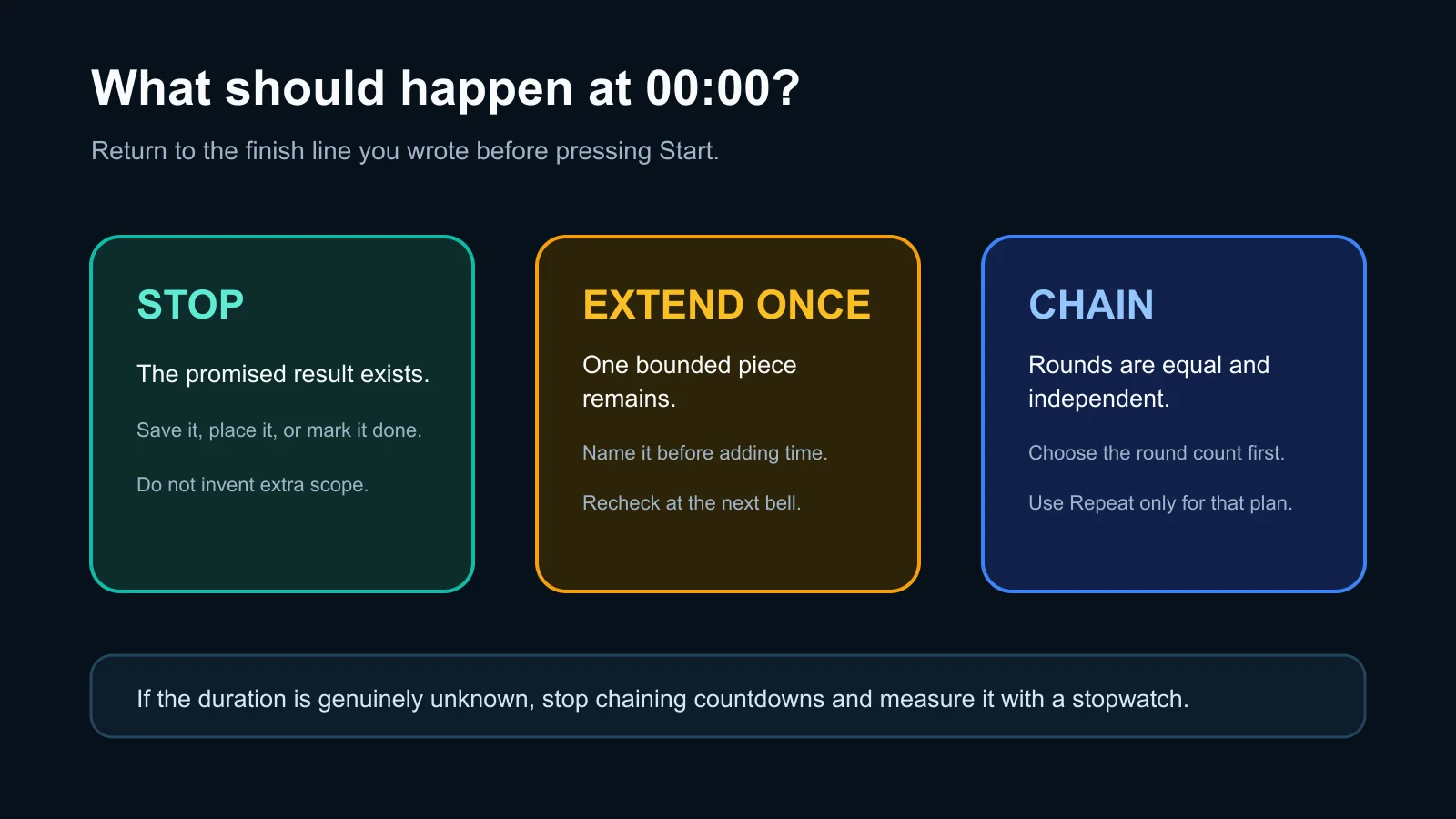
Return to the finish line at the bell: stop when it exists, extend once for one bounded remainder, or chain only equal rounds chosen in advance.
ClockTools makes the chain option visible through its Repeat Off/On control. In our August 27, 2026 interface check, selecting the five-minute preset prepared 05:00, and the repeat control visibly changed to Repeat On when selected. We did not run a multi-cycle outcome test, so this article treats repeat as a setup choice, not proof that a particular routine will work.
How Do You Set The Timer Without Wasting The First Minute?
- Write the finish line before opening any additional material.
- Open the five-minute countdown on ClockTools and select 5 min under Quick Presets.
- Confirm that the display reads 05:00.
- Add a short Timer Name if it will help you remember the boundary.
- Leave Repeat Off for a one-time block; turn it on only for a planned number of equal rounds.
- Press Start, and do not revise the scope while time is running.
ClockTools also provides custom Minutes and Seconds fields. Use them when five minutes is close but not correct. A precise four-minute task is not improved by forcing it into a five-minute preset.
Keep the page visible for an important countdown, and test any sound or notification behavior before relying on it. A browser tab can be affected by device sleep, background handling, notification permission, and system volume.
Five Minutes Is Sometimes The Wrong Size
Five minutes is too short when setup consumes most of the block, the task requires careful verification, or interruption would create a worse result. It is too long when the job is a single sub-minute action and the remaining time invites unrelated work. It is also the wrong pressure for medication, financial approval, legal review, safety procedures, or any decision where speed should not outrank care.
For a longer focus-and-break rhythm, use the Pomodoro timer rather than manually chaining five-minute blocks. For a reminder tied to a time of day, the alarm clock expresses the requirement more clearly than a countdown.
The five-minute block has done its job when it produces a clear boundary or a useful next move—not when it pretends that a large task should already be finished.
Frequently Asked Questions
What Can I Realistically Do With A 5 Minute Timer?
Choose one visible finish line, such as extracting three actions from one page of notes, recalling three points from one short section, or resetting one small surface. Five minutes is usually a boundary for one piece, not a deadline for an entire project.
How Do I Set Exactly Five Minutes On ClockTools?
Open the ClockTools timer and select 5 min under Quick Presets. Confirm that the display reads 05:00, add a short name if useful, and press Start when your finish line is clear.
Should Repeat Mode Be On For A Five-Minute Task?
Keep Repeat Off for a single micro-task. Turn it on only when you have already chosen a finite number of equal, independent rounds and the automatic restart will not create confusion.
What Should I Do If The Task Is Unfinished At Zero?
Check the original finish line. Extend once only if one bounded piece remains; otherwise stop, redefine the next action, or switch to a stopwatch when the duration is genuinely unknown.
Is Five Minutes Enough For A Study Session?
It can be enough for one narrowly defined study action, such as reviewing one section and writing a few recall points. It is not evidence of mastery and should not replace the longer practice the subject requires.
Can I Change The Duration After A Five-Minute Block?
Yes. Choose another preset or enter custom Minutes and Seconds. Select the new duration because the next task needs it, not merely because the previous block ended.

About The Author
Vigneshwaran Vijayakumar
Founder, Developer and Publisher of ClockTools | Digital Marketing Manager | India
Vigneshwaran is an engineer with decades of technical experience, including professional work as a Digital Marketing Manager in Dubai. His work connects data analysis, search engine optimization, conversion-rate optimization, content systems, visual production, and applied AI and machine learning. At ClockTools, he turns that multidisciplinary experience into focused browser utilities and practical, source-aware guides.