Pomodoro Timer vs Regular Timer: What Is the Difference?
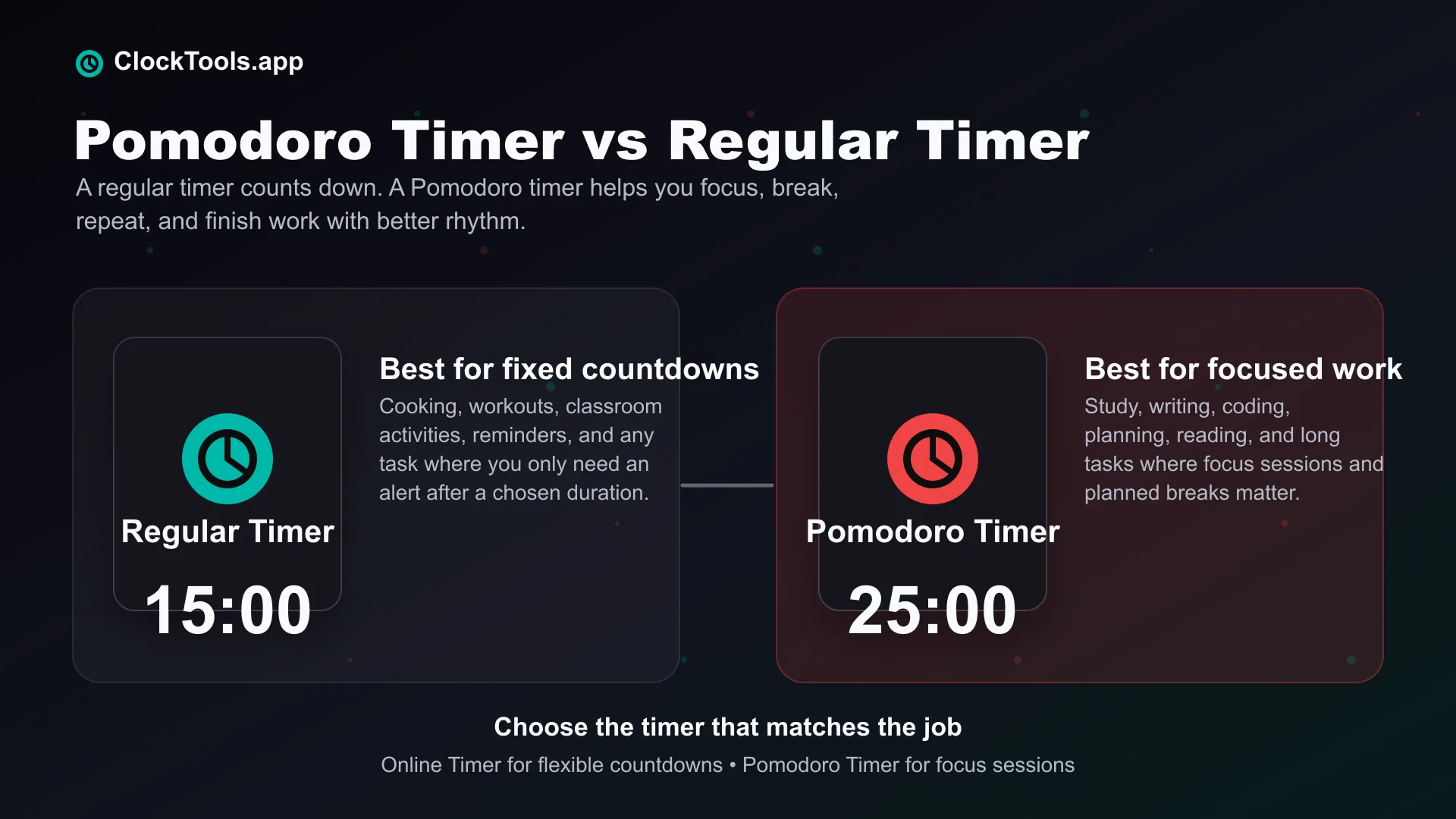
A regular timer and a Pomodoro timer may look similar, but they are built for different purposes. A regular timer helps you count down time. A Pomodoro timer helps you manage focus, breaks, and productivity in a structured way.
What Is A Regular Timer?
A regular timer is a simple countdown tool. You choose a duration, start the timer, and wait until it reaches zero. When the countdown ends, the timer alerts you. It is one of the most familiar time tools because it does not require a method, a system, or a productivity routine.
Regular timers are useful because they are flexible. You can use them for cooking, workouts, classroom activities, short breaks, reminders, meetings, cleaning, stretching, meditation, and screen-time limits. The biggest strength of a regular timer is simplicity. You only need to know how much time you want to count down.
For example, if you want to boil eggs for 8 minutes, bake food for 25 minutes, stretch for 5 minutes, or remind yourself to leave in 10 minutes, a regular timer is the right tool. It gives you a clear countdown and a clear ending. Our Online Timer is made for this kind of flexible timing, with quick countdowns and custom durations for everyday use.
What Is A Pomodoro Timer?
A Pomodoro timer is a timer built around a focus method. Instead of only counting down one duration, it helps you work in focused sessions followed by breaks. The classic Pomodoro method usually uses 25 minutes of focus followed by a 5-minute break, then repeats the cycle. After several focus sessions, many people take a longer break.
The exact timing can change depending on your work style, but the idea stays the same: focus deeply for a short period, then rest before starting again. A Pomodoro timer is not just asking, “How much time is left?” It is helping you answer, “Should I be focusing right now, taking a short break, or preparing for the next session?”
That makes it especially useful for tasks that require attention. Studying, writing, coding, reading, designing, researching, and planning all become easier when the work is divided into smaller focus blocks. Our Pomodoro Timer is designed around this idea, so you can start a focus session quickly without turning the tool itself into another distraction.
How Is A Pomodoro Timer Different From A Regular Timer?
The main difference is purpose. A regular timer measures time. A Pomodoro timer manages focus. A regular timer is open-ended: you choose a duration, and the tool counts down. After it ends, you decide what to do next.
A Pomodoro timer gives more structure. It separates work time and break time, helping you stay consistent through longer tasks. Instead of manually deciding when to stop, rest, and restart, the Pomodoro timer guides the rhythm. This makes Pomodoro timers especially helpful when the difficult part is not the time itself, but staying focused.
If you are studying for two hours, a regular timer can count down the full two hours. But that can feel heavy and difficult to start. A Pomodoro timer breaks that same study period into smaller sessions, making the task feel more manageable. A regular timer is best for tasks with a fixed duration. A Pomodoro timer is best for tasks where focus, rest, and momentum matter.
When Should You Use A Regular Timer?
You should use a regular timer when your task is simple, practical, and based on a clear time limit. A regular timer is ideal when you want to cook or bake something, time a workout, set a quick reminder, limit a short activity, track a meeting section, time a classroom exercise, take a fixed break, or count down to a specific task.
Regular timers work best when you already know exactly what you need. If your only goal is to be alerted after a certain number of minutes or seconds, a regular timer is usually the cleanest choice. It keeps the experience direct and avoids adding a productivity structure where one is not needed.
This is where the ClockTools.app Online Timer is helpful. It is designed for quick, flexible countdowns without forcing you into a focus method. When the task is simple, the timer should also feel simple.
When Should You Use A Pomodoro Timer?
You should use a Pomodoro timer when your main challenge is focus. A Pomodoro timer is useful when you want to study for exams, write articles or reports, code or debug, read difficult material, complete admin tasks, clean in focused blocks, reduce procrastination, build a better work routine, or avoid working too long without breaks.
The Pomodoro method works because it makes big tasks feel smaller. Instead of thinking, “I need to work for three hours,” you can think, “I only need to complete one focus session.” That small shift can make starting much easier. Once you start, the built-in break rhythm helps you return for the next session with more energy.
A Pomodoro timer also protects your attention. Many people work until they feel tired, then take a break too late. Pomodoro sessions encourage regular breaks before your attention drops completely, which can make long work periods feel less draining.
Why Does The Pomodoro Method Work So Well?
The Pomodoro method works because it gives your mind a clear agreement: focus now, rest soon, repeat. That structure reduces procrastination because a short focus session feels easier to begin than a large unfinished task. It also improves attention because the session has a clear ending.
It creates momentum. Completing one Pomodoro session gives you a small win. Completing several sessions helps you feel real progress. It also prevents fatigue because breaks are not treated as laziness; they are part of the system.
The method also makes time visible. You can understand your work in sessions instead of vague hours. That makes planning easier and progress easier to measure. This is why Pomodoro timers are popular among students, writers, creators, developers, remote workers, teachers, and anyone who wants to work with better focus.
What Are The Top Features Of The ClockTools.app Pomodoro Timer?
Our Pomodoro Timer is built to be simple enough for beginners and useful enough for regular focus work. We do not want the tool to distract you from the work you came to do. We want it to help you start faster, stay focused, and move through your sessions with less friction.
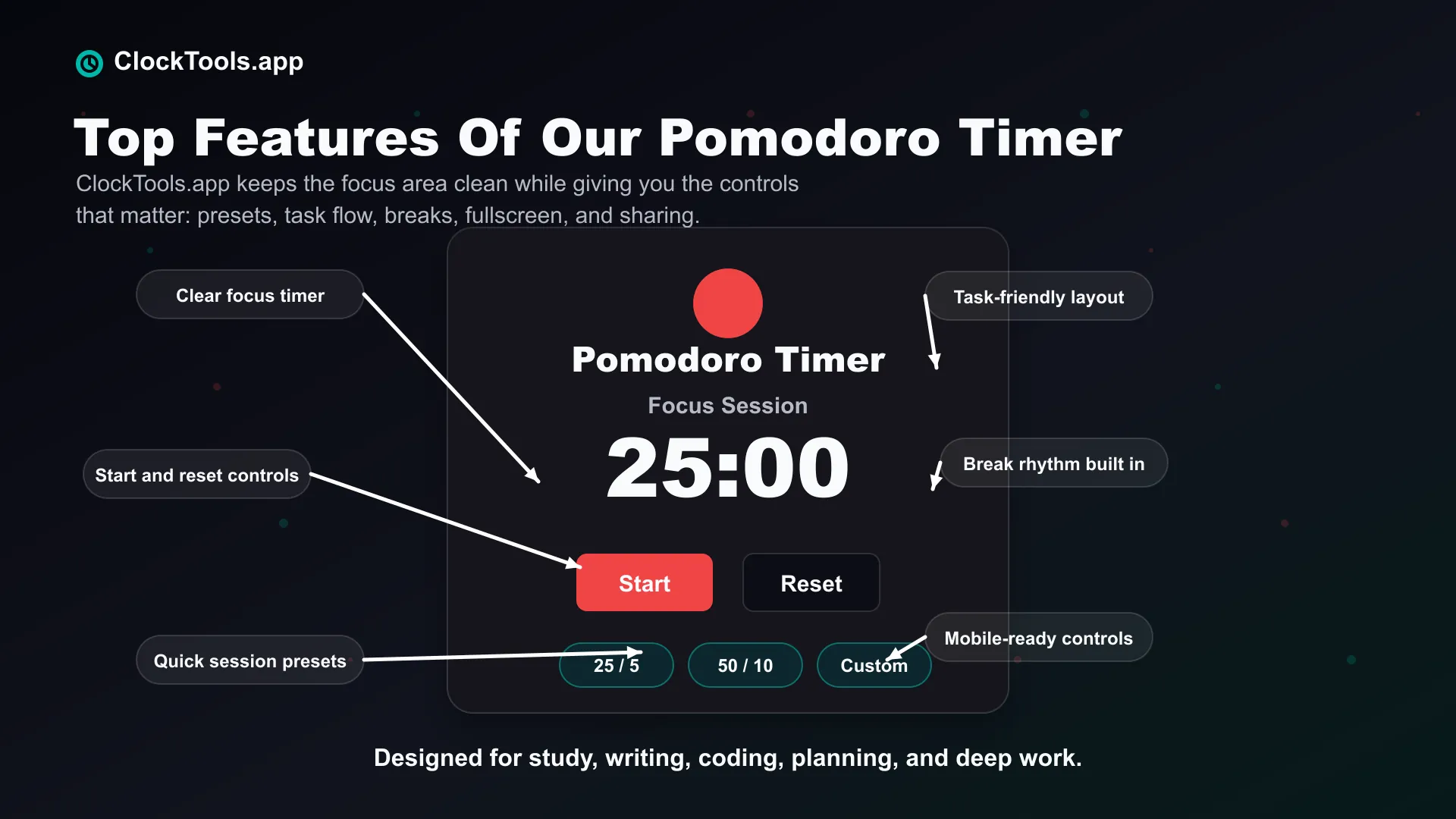
The layout is clean and focus-first. The main timer area is easy to read, so you can quickly see your session time without searching through clutter. The focus and break structure supports the Pomodoro workflow, helping you move between work sessions and rest periods more naturally.
Useful presets make it easier to begin common sessions without manually setting everything from scratch. The task-friendly experience helps connect the timer to real work, whether you are studying, writing, planning, coding, or working through a list. The mobile-friendly design keeps controls comfortable on phones, tablets, laptops, and desktops.
We also keep the interface distraction-conscious. The working timer stays important, while supporting content stays below the prime working area. You can use the Pomodoro Timer directly, or return to the ClockTools.app homepage to explore more useful tools when you need a different kind of time support.
Is A Pomodoro Timer Better Than A Regular Timer?
A Pomodoro timer is better for focused work, but it is not better for every situation. If you need to cook something for 15 minutes, a regular timer is better. If you need to study for two hours without losing focus, a Pomodoro timer is better.
The best choice depends on your task. Use a regular timer when the task has a simple time limit. Use a Pomodoro timer when the task needs attention, breaks, and rhythm. That is why we offer both tools instead of forcing every timing need into one format.
How Can You Use Both Timers Together?
You can use both tools depending on your day. Use the Pomodoro Timer when you want to work in focus sessions. This is useful for studying, writing, deep work, and long tasks.
Use the Online Timer when you need a simple countdown. This is better for cooking, short reminders, workouts, breaks, and fixed-duration tasks. For example, you might use the Pomodoro Timer for morning study sessions, then use the Online Timer later for a 20-minute workout or a cooking reminder.
That is the strength of ClockTools.app. We give you different tools for different timing needs, so you can choose what fits the moment. If you want a simple countdown, start with the Online Timer. If you want to focus better, start with the Pomodoro Timer.
Frequently Asked Questions?
What Is The Difference Between A Pomodoro Timer And A Regular Timer?
A regular timer counts down from a selected duration. A Pomodoro timer uses focus sessions and breaks to help you manage productivity. Regular timers are better for simple countdowns, while Pomodoro timers are better for study, work, writing, and deep focus.
Is A Pomodoro Timer Better Than A Regular Timer?
A Pomodoro timer is better for focus-based tasks, but a regular timer is better for simple reminders, cooking, workouts, and fixed-duration activities. The better option depends on what you are trying to do.
Can I Use A Regular Timer For Pomodoro Sessions?
Yes, you can use a regular timer for Pomodoro sessions by manually setting focus and break durations. However, a dedicated Pomodoro timer is usually easier because it is designed around the focus-and-break workflow.
What Is The Best Pomodoro Timer Duration?
The classic Pomodoro duration is 25 minutes of focus followed by a 5-minute break. Some people prefer longer sessions, such as 50 minutes of focus with a 10-minute break. The best duration is the one that helps you stay focused without feeling exhausted.
Who Should Use A Pomodoro Timer?
A Pomodoro timer is useful for students, writers, developers, remote workers, teachers, creators, and anyone who wants to reduce procrastination. It is especially helpful for tasks that require sustained attention.
What Should I Do If A Focus Session Ends Mid-Task?
Write a short note showing the next concrete action, take the planned break, and resume from that note in the next focus session. The end of a focus interval is a work boundary, not a claim that the whole task is finished.
Should I Use The Online Timer Or The Pomodoro Timer?
Use the Online Timer when you need a simple countdown. Use the Pomodoro Timer when you want structured focus sessions with breaks.
Should A Pomodoro Break Count As Another Focus Session?
No. The break is the recovery part of the focus-and-break cycle. Treat it as a separate state, then begin the next focus session when the break ends instead of quietly continuing the same work block.
Why Is ClockTools.app Better Than A Basic Timer Page?
ClockTools.app is designed around real timing needs, not just a plain countdown. We provide focused tools, clean layouts, mobile-friendly controls, useful presets, and separate timer experiences for different situations. That makes it easier to choose the right tool for the task instead of forcing every timing need into one basic timer.

About The Author
Vigneshwaran Vijayakumar
Founder, Developer and Publisher of ClockTools | Digital Marketing Manager | India
Vigneshwaran is an engineer with decades of technical experience, including professional work as a Digital Marketing Manager in Dubai. His work connects data analysis, SEO, conversion-rate optimization, content systems, visual production, and applied AI and machine learning. At ClockTools, he turns that multidisciplinary experience into focused browser utilities and practical, source-aware guides.