Check a VPN exit
Take a baseline before connecting to your VPN, then refresh. The visible address and network can change to the exit route. This check cannot certify that every application uses the VPN.
Our IP lookup helps you understand the connection a website actually sees. Read your public address first, then explore the network, approximate location and browser signals when you need more context.
Read your connection, compare a change, and share only the details you intend to share.
Our dashboard reads the request that reaches ClockTools. It shows IPv4 or IPv6 for this connection, not an invented list of every address your device owns.
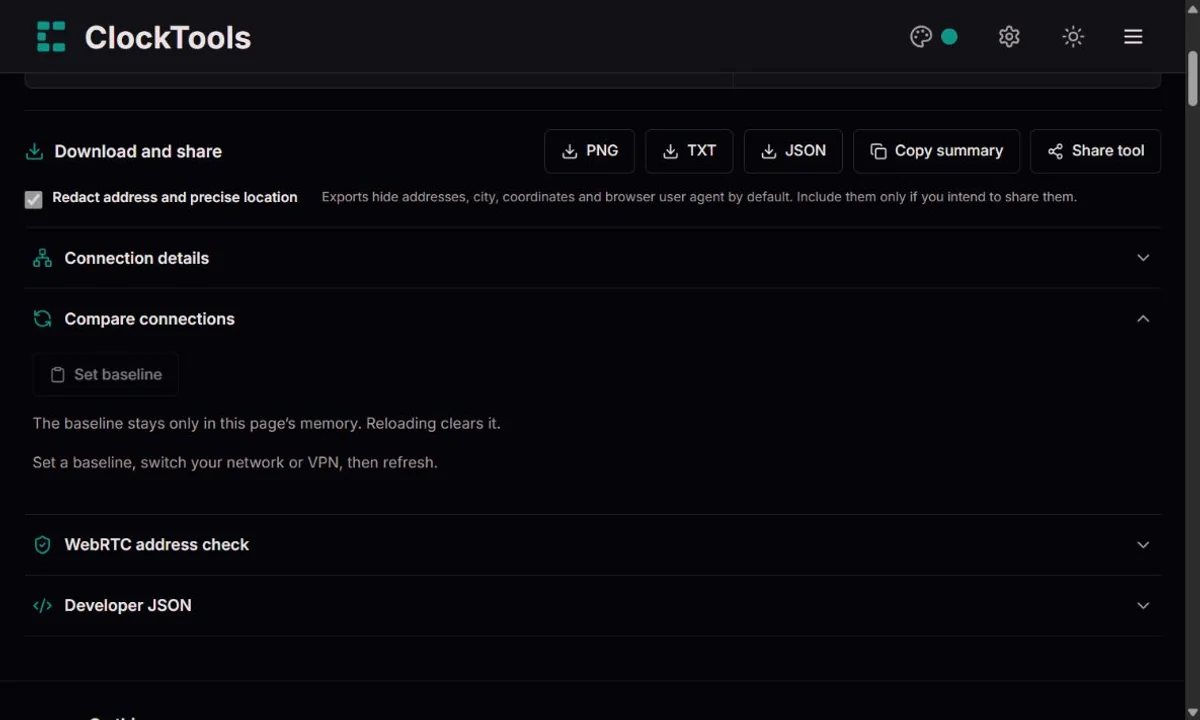
Set a baseline before changing Wi-Fi, mobile data or VPN. Refresh afterwards and compare the address, organization and country side by side. A changed address is useful evidence of a changed route, not a complete VPN audit.
Hide details before taking a screenshot. PNG, text and JSON exports start redacted; review the export checkbox before including an address or location in a support message.
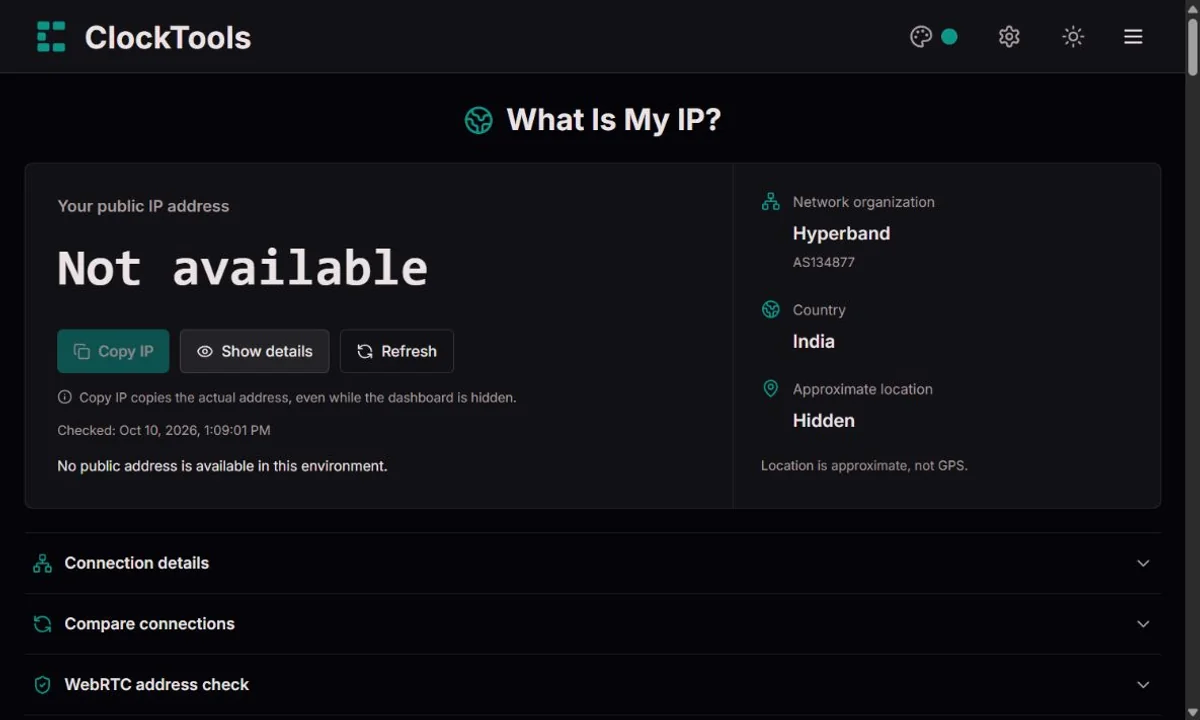
Take a baseline before connecting to your VPN, then refresh. The visible address and network can change to the exit route. This check cannot certify that every application uses the VPN.
A dated network report gives support a starting point without a long explanation. Include your exact IP only in a private ticket when the recipient needs it.
The city can describe the provider’s route rather than the room you are in. Use a location tool with permission if you need your physical position.
Compare the browser timezone, IP estimate and connection details when troubleshooting. An ASN identifies a network, but does not necessarily name your internet provider.
Hide details masks the public address, exact location, baseline addresses, WebRTC candidates and JSON values together. Copy visible JSON follows that setting. Copy IP is a separate, explicitly labelled action that always copies the real address.
A browser may prefer IPv6 for this request even when IPv4 also works. Seeing one family does not mean the other is unavailable. We do not claim to test both routes with a single request.
Timezone aliases are normalized before comparison. A language-region mismatch can simply mean you prefer another language; a timezone difference can reflect travel, device settings or network routing. Neither identifies a person or proves fraud.
The check lists public, local or reserved addresses and privacy-preserving hostnames when the browser exposes them. A public candidate different from the lookup deserves investigation, but may reflect multiple interfaces or routing. The result is observational, not a security certificate.
Download PNG for a readable report, JSON for structured troubleshooting or text for a ticket. Reports include the lookup time and ClockTools link. The baseline is not a saved history: it disappears when this page reloads.
An IP address is a routing identifier, not a name tag. Inside a home network, a phone and a laptop can have different private addresses while their outgoing traffic uses one public IPv4 address. Network address translation, or NAT, maps those conversations so replies find their way back.
RFC 1918 reserves private IPv4 space for internal networks. Seeing 192.168.x.x in router settings is therefore not a contradiction when our lookup shows another address. A public lookup sees the route reaching the website, not every device behind the router.
Some providers share public IPv4 capacity across multiple customers using carrier-grade NAT. RFC 6598 defines 100.64.0.0/10 as shared address space for this purpose; it is distinct from the private ranges in RFC 1918.
If a router’s WAN address differs from the public address, shared routing is one possible explanation, alongside other network arrangements. Our page cannot diagnose your router or confirm CGNAT from the public request alone. Ask your provider before assuming that an inbound connection or port-forwarding rule should work.
IPv4 uses 32-bit addresses; IPv6 uses 128 bits. That expansion supports a vastly larger address space, but migration is not a single worldwide switch. Networks, devices and services can support both families while choosing a particular route for each connection.
The modern IPv6 specification is RFC 8200, published in 2017, building on earlier IPv6 standards. IPv4 and IPv6 still coexist. The address family shown here describes this request, which is more useful than treating an IPv6 label as a guarantee about every service you visit.
Providers may assign dynamic addresses, renew leases or route mobile traffic through shared gateways. Changing a connection or VPN can change the address without changing the device. A static address is a provider or network arrangement, not a setting this page can create.
An autonomous system number, or ASN, identifies a network participating in internet routing. The organization associated with it can be a carrier, hosting provider, business or VPN network. It is not necessarily the company you pay for home internet.
An IP location estimate associates a network address with geography. It does not turn a website into a GPS receiver. Mobile gateways, corporate networks and VPN exits can produce a city or timezone far from your physical location.
Use country and organization as context, and treat city and coordinates with caution. An IP mismatch alone cannot establish where a person lives. In documentation, reserved examples such as 203.0.113.42 illustrate address formats without publishing somebody’s real connection.
Our IP lookup shows the public address used by your current connection, along with network details and an approximate location. Use these results as a starting point for troubleshooting, and refresh after changing your network or VPN. A location estimate does not identify your exact physical position.
Missing values remain unavailable. This is not a GPS locator, an ISP identity certificate, a simultaneous dual-stack test or a guarantee that a VPN cannot leak. Browser and network restrictions can limit the optional WebRTC check.
How we interpret your connection · Corrections and feedbackIf a field looks wrong, note the lookup time, the field and the expected value. Share only the minimum needed, preferably a redacted report. We distinguish display errors from upstream location estimates and explain limitations rather than inventing a replacement.
Usually not. It is the internet-facing address observed for this request. Devices behind NAT can share it while using different internal addresses.
The estimate can follow a provider gateway, VPN exit or business network. It is not a GPS fix and cannot establish an exact home address.
It identifies the address family used by this request. It does not independently test both address families or list every device interface.
No. Travel, manual timezone settings and routing can cause differences. Equivalent timezone aliases are treated as a match.
Not by itself. Local candidates and a matching public address can be normal. Investigate an unexpected public candidate without treating an empty list as proof of safety.
Yes. Hide details redacts the dashboard, baseline and visible JSON. Exports are redacted by default. Copy IP deliberately copies the real address.
No. It stays in this page’s memory, and is not a persistent lookup history. Reloading or closing the page clears it.
The ASN organization can be a carrier, hosting provider, office network or VPN exit. It does not always identify your retail internet provider.