Step 1
Prepare and verify
MEET AT 9-- . . - / .- - / ----.Translate a short message, correct unsupported input and decide whether the receiver should start in text or Morse mode.
Create a message link carrying text or Morse input, timing, volume and hidden-answer settings without starting signals automatically.
Create a message link carrying text or Morse input, timing, volume and hidden-answer settings without starting signals automatically.
MEET AT 9-- . . - / .- - / ----.Translate a short message, correct unsupported input and decide whether the receiver should start in text or Morse mode.
Choose character speed, Farnsworth spacing and volume. A hidden answer is only a visual puzzle setting.
https://clocktools.app/morsecode/shareable-morse-code?message=MEET+AT+9&mode=text-to-morse&wpm=18&farnsworth=14&pitch=640&volume=60&hide=0&repeat=0The link includes the complete input. Light and vibration require a fresh local choice and are never enabled by a received link.
Build the puzzle in Morse-to-text mode with -- . . - / .- - / ----. for MEET AT 9, confirm the decoded answer, turn on Hide answer, then copy the link. Open that exact URL in a fresh tab and check that the page opens in decoder mode, keeps the Morse input visible, hides only the decoded answer, preserves the chosen speed, pitch and volume, and does not autoplay. Only then send the link.
Prepare a short phrase such as RADIO or TIME, choose character speed and Farnsworth spacing deliberately, and share the link so another person starts from the same mode, WPM, spacing, pitch, volume, repeat preference and hidden-answer state. Ask the receiver to press Play manually and write what they heard before revealing or decoding. This gives the lesson a common starting point without promising identical speakers, headphones or room conditions.
Use one link for a small group activity: one person listens, one reads the chart, one transcribes, and one checks the decoded output. For beginners, use a greeting, classroom word or event clue short enough to replay without fatigue, and state the separator convention: spaces divide letters and slashes divide words. Avoid private names, access codes or surprise personal details because the URL itself carries the full message.
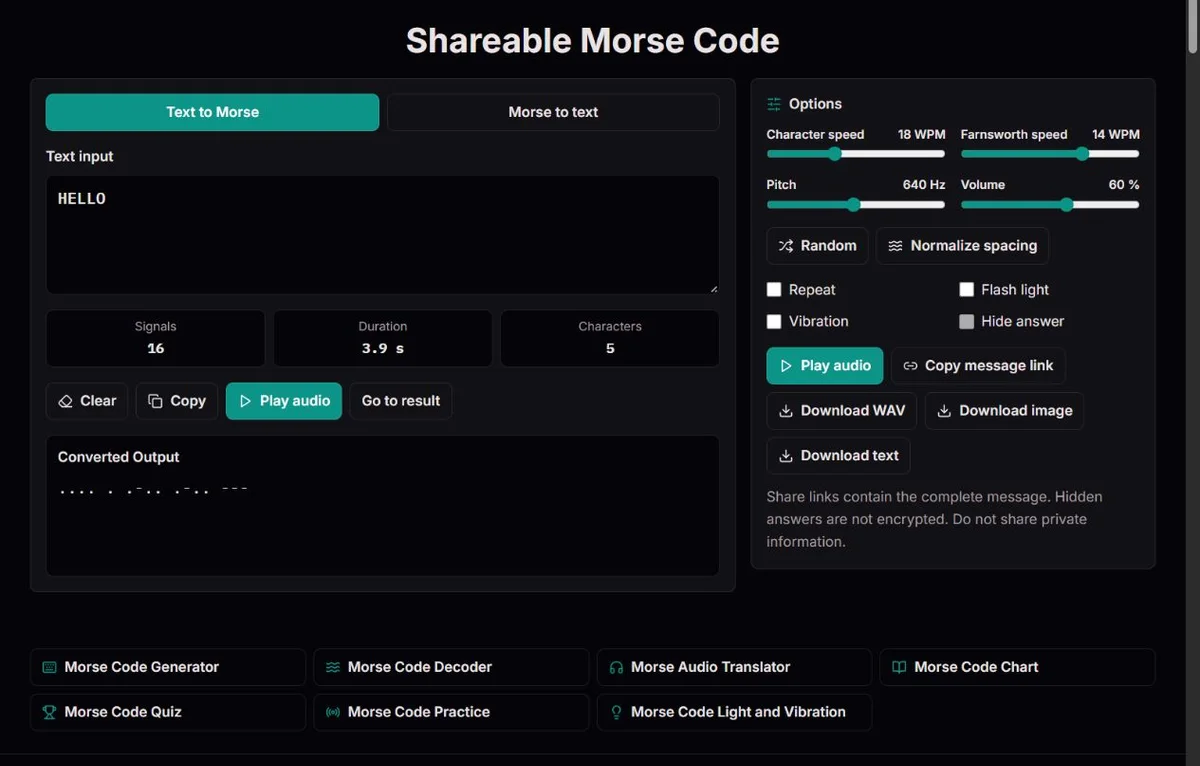
A useful share link begins as a checked conversion, not as a mystery first. If your source is ordinary text, write the phrase, inspect the generated groups and decode it back before copying the URL. Unsupported source characters are warned and omitted from the generated Morse, so remove or replace them before treating the result as final. If your source is already dots and dashes, use Morse-to-text mode and repair unknown groups before hiding anything. A hidden answer should hide a known result, not hide an unverified mistake.
The Hide answer checkbox only affects Morse-to-text mode. In text-to-Morse mode the source text and converted code are visible, so it is the wrong starting point for a puzzle that should conceal the decoded phrase. To make a fair hidden-answer puzzle, enter -- . . - / .- - / ----. in Morse-to-text mode, confirm MEET AT 9, turn on Hide answer, then copy the message link.
A good beginner puzzle gives enough context to start. For example, tell solvers that the link contains a greeting, a classroom word or an event clue, and tell them whether to listen first or decode visually first. Let them use the chart and reveal the answer when ready. Hiding every clue around a long unsupported phrase turns the page into a frustration exercise rather than a Morse exercise.
| Goal | Recommended setup | What to verify |
|---|---|---|
| Hidden phrase puzzle | Morse-to-text mode, checked code, Hide answer on | Fresh tab opens with the decoded answer hidden until Show answer |
| Listening practice | Text-to-Morse or Morse-to-text, short input, chosen WPM and spacing | Receiver presses Play manually and hears the intended single message |
| Static worksheet backup | Copy result or download text as well as sharing | The saved answer key still works if the URL is too long or later edited |
| Prosign demonstration | Record whether prosign preference was used locally | The link does not store that preference, so overlapping groups may display differently |
The copied URL is built from the current route and locale. It clears any existing query string and writes the full raw input, mode, character WPM, Farnsworth WPM, pitch, volume, hidden-answer flag and repeat flag into URL parameters. It is copied to the clipboard; it is not a native platform share sheet, a server-stored message, a private inbox or an expiring invitation.
Opening the URL validates and clamps settings before display. Character speed remains in the supported 5 to 40 WPM range, Farnsworth spacing cannot exceed character speed, pitch stays between 300 and 1000 Hz, and volume stays from 0 to 100. A value of zero volume is preserved, so a receiver may open a silent exercise. Invalid arbitrary settings are not guaranteed to survive exactly.
The link does not encode everything about your local page. Light and vibration are not saved and reset off when the URL opens. Even if someone manually adds light or vibration parameters, the page ignores them. The prosign preference is also not encoded; a group such as .-.-. can be displayed as + or <AR> depending on the receiver's local preference. If joined prosigns matter, say so in the surrounding instructions or avoid ambiguous overlapping groups.
The sharing action rejects complete URLs longer than 8000 characters after encoding; the address, route and settings count too. A slash becomes %2F and É becomes %C3%89, while spaces become + under the query encoding described in the WHATWG URL Standard. A literal plus instead becomes %2B, so send the copied URL unchanged rather than rewriting its symbols. These examples explain why the source-character count is not a URL-length promise. For long classroom material, download text or WAV and keep a separate answer key instead of forcing everything into one URL.
A Morse link is not secret. Browser history, synced tabs, messaging apps, link-preview services, logs and anyone who receives the URL can see or preserve the full message. Hide answer changes the page presentation; it does not encrypt, redact, expire, revoke or prevent decoding elsewhere. Use harmless puzzle text, classroom prompts and greetings, not passwords, private identifiers or sensitive disclosures.
Controlled link verification is simple and worth doing. Copy the link, open a new private or fresh tab if available, and check the exact receiving state: MEET AT 9 should still open in Morse-to-text mode as -- . . - / .- - / ----., Hide answer should conceal the decoded text, volume 0 should remain 0 if you chose a silent setup, and playback should wait for Play. If you edit the original page after copying, copy a new link. A receiver opening a previous URL gets the previous message and settings, not your later edits.
A shared link can make timing reproducible enough for a lesson. The same text with 20 WPM characters and 10 WPM Farnsworth spacing keeps the dot and dash durations at 20 WPM while stretching the letter and word gaps. ARRL's Farnsworth timing discussion explains the PARIS calculation behind that separation. This is useful for comparing attempts because everyone starts from the same displayed settings.
Those settings do not prove that every receiver heard the same physical sound. Browser audio, device volume, muted tabs, speakers, headphones and user permissions still matter. A shared URL also does not start playback automatically. The receiver must press Play, and each playback or WAV export is limited to a 90-second signal. If a long message exceeds the live or export limit, split it at a meaningful phrase boundary.
Use examples with visible consequences. MEET AT 9 is useful because word slashes show three words and the digit 9 has a complete five-mark pattern. SOS is useful for a quick confidence check, while <SOS> demonstrates a joined token with different internal gaps. A fair puzzle keeps these distinctions intact instead of deleting separators to make the code look more dramatic.
Morse code became memorable because compact signals could be shared across constrained channels, but this page shares a web URL rather than operating a wireless station. The 1909 Congressional Record on Jack Binns records contemporary recognition of Jack Binns and the CQD calls from Republic in 1909. The Science Museum's Titanic wireless account describes Titanic's CQD and SOS traffic and the importance of a receiving operator being on watch. Those examples help explain why clear routing, attention and context mattered.
A modern puzzle link is much lower stakes. The useful lesson is not that a browser link imitates shipboard radio; it is that sender and receiver need the same conventions. State whether a slash is a word separator, whether a joined prosign is intended, whether repeat is allowed, and whether the goal is listening recognition or visual decoding. Then the receiver can solve the message rather than guess your rules.
Earlier sharing examples included HELLO FRIEND, LOOK UNDER DESK, MEET AT FIVE and DECODE THIS. Keep those as harmless invented messages: a greeting, a physical-game clue, an event hint and a lesson instruction. Decide whether the activity is listening or written decoding before hiding the answer. A beginner may need the chart and a hint about the number of words, not a faster tone or missing separators.
For LOOK UNDER DESK, first check the text-to-Morse result, then paste that exact code into Morse-to-text mode and hide the decoded answer before sharing. At 18 WPM characters with 10 WPM spacing, the word pauses give the solver room to separate the clue's three words. MEET AT FIVE spells the word FIVE; changing it to MEET AT 5 changes both the code and the listening task. A shared event clue is still a public URL carrying its source, not a protected location or private invitation.
| Message | Morse | Reader decision |
|---|---|---|
| HELLO FRIEND | .... . .-.. .-.. --- / ..-. .-. .. . -. -.. | Greeting: offer the chart for a first attempt |
| LOOK UNDER DESK | .-.. --- --- -.- / ..- -. -.. . .-. / -.. . ... -.- | Game clue: preserve both word boundaries |
| MEET AT FIVE | -- . . - / .- - / ..-. .. ...- . | Event hint: decide between the word FIVE and digit 5 |
| DECODE THIS | -.. . -.-. --- -.. . / - .... .. ... | Lesson: say whether to listen first or decode visually |
MEET AT 9-- . . - / .- - / ----.Share links are generated locally from the current route and locale. The URL stores the raw input, mode, character speed, Farnsworth spacing, pitch, volume, hidden-answer flag and repeat flag. Opening a link validates settings, does not autoplay and does not restore light, vibration or prosign preference. Text-to-Morse input encodes supported characters; Morse-to-text input decodes separated groups under the same mapping and timing rules as the rest of the Morse tools.
A copied Morse URL is not encryption or a private inbox, and the tool has no expiry or revoke control. The complete message is visible in the URL and may be retained by browser history, previews, logs or anyone who receives it. URLs longer than 8000 characters after encoding are rejected; percent-encoding can expand the apparent length. Hidden answers work only as a Morse-to-text presentation option. Invalid shared settings are clamped or defaulted on open, and device output still requires local audio support and a manual Play action.
To report a discrepancy, include the route, exact input, expected result and relevant settings. For timing issues, state both character and Farnsworth speeds. Compare the relevant official table before changing an identifier; remove private information from reports.
Use Morse-to-text mode, paste or generate the Morse groups, confirm that the decoded output is correct, then turn on Hide answer before copying the message link. Hide answer does not work as a puzzle cover in text-to-Morse mode because the source text remains visible.
The URL includes the input, mode, character speed, Farnsworth spacing, pitch, volume, repeat flag and hidden-answer flag. It does not include light, vibration or the prosign preference.
No. The full message is present in the URL. Hidden answers are useful for puzzles, but they are not encryption, access control, expiry or deletion.
A fresh-tab check confirms what the receiver will actually open: route, mode, input, settings, hidden-answer state and no autoplay. For a puzzle such as MEET AT 9, verify Morse-to-text mode, the visible Morse groups, the hidden decoded answer and the chosen volume before sending.
The prosign preference is not stored in the link. If a receiver sees an overlapping group as punctuation rather than a prosign, add the intended prosign in your instructions, avoid the ambiguous group, or ask them to enable the same local preference before decoding.
No. Light and vibration reset off when a link opens and require a local choice. Added light or vibration URL parameters are ignored.
The page rejects complete URLs longer than 8000 characters after encoding. The route and settings count, and punctuation or non-ASCII text can need several URL characters; spaces in this link are written as +. Use text download, WAV export within its signal limit, a shorter phrase or several smaller links rather than deleting Morse separators.
No. The receiver must press Play. This avoids unexpected sound, repeat loops, flashing or device vibration when a link opens, and it lets the receiver choose whether the current room and device are appropriate.
Yes, if the message is short, checked and non-sensitive. Give the separator convention, assign roles such as listener, chart reader, transcriber and checker, tell students whether the answer is hidden, and test the link before distributing it.
Yes. Volume 0 is a valid setting and can open as a silent exercise. The receiver should still review the volume slider and local device output before relying on audio.