How to play Minesweeper online
Start with a safe opening, read the numbered edge, then flag only what the clues justify. These local examples are diagrams, not a playable board or a promise that every puzzle can be solved without guessing.
Open your first square
Choose a difficulty and click or tap a square. Your first square and its immediate neighbours contain no mines, giving you an opening to work from. The timer starts with that reveal, not when you load the page.
Read the numbers
Each number counts the mines in the eight surrounding positions, including diagonals. A 1 means one adjacent mine, not one mine in the whole row. Blank areas open automatically until they reach numbered edges.
Flag, then clear
Right-click a covered square to flag it, or choose Flag on a phone. Flags are reminders, not proof. Click an open number when its surrounding flag count matches it to reveal the other neighbours. A wrong flag can make this move hit a mine. You win when every non-mine square is open; you do not have to flag every mine. Opening a mine ends the attempt. Review the revealed board and any incorrect flags, or try the same board again for practice.
Practice with a purpose
Learn a local deduction
Choose Beginner, 9 × 9 with 10 mines. Find a revealed 1 with only one hidden neighbour, then explain why that neighbour is a mine before placing a flag. First account for any flags already justified by other clues. Explain the remaining mine count aloud before using Reveal or Flag. The aim is a justified deduction, not a quick flag count that happens to match.
Practise without rushing
Pause when you need to look away, or use larger squares for comfortable targeting. Expert keeps its 30 × 16 board and scrolls inside the panel instead of shrinking every square. Try a sparse custom 9 × 9 board with 8 mines to practise the same controls without jumping straight to Expert. A larger cell size improves targeting, not the information in a clue. Keep the active timer paused while comparing a diagram with the live board.
Compare an opening
Share after the first reveal to give a friend the same layout and starting square. Review the recorded moves afterwards; shared, assisted and replayed runs do not set fresh-board preset best times. Agree on the first square as well as the seed and dimensions. Replaying a known opening measures familiarity, not a fresh-board best time. Use the recording to identify a mistaken flag or missed deduction, not to claim an independently verified record.
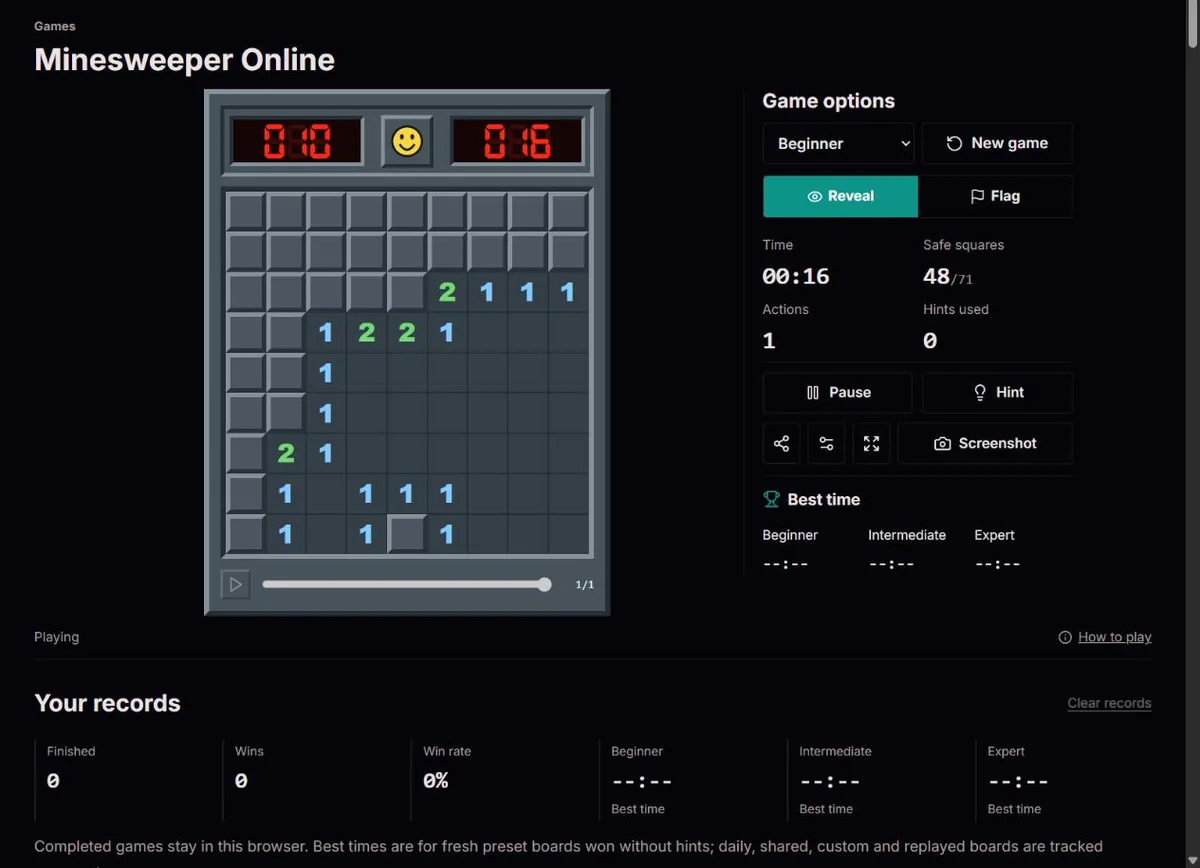
A flag is an assumption, not a sensor
Choose your kind of challenge
Beginner: A compact 9 by 9 board with 10 mines. A good place to learn how neighbouring clues work together.
Intermediate: A 16 by 16 board with 40 mines. More space to explore, and more numbered edges to compare.
Expert: A 30 by 16 board with 99 mines. Use the board's own scroll area on a phone instead of shrinking every square into a tiny target.
Custom: Set the rows, columns and mine count yourself. Start sparse when learning, or increase the density when you want more tightly connected clues.
Daily puzzle: The daily 9 by 9 board changes at midnight UTC. Everyone starts from the marked square with the same mines. Replays are labelled and do not set preset best times.
Custom accepts 8–30 columns, 8–24 rows and at least one mine, with a maximum of floor(columns * rows / 3). For a 9 × 9 grid the maximum is 27. A learning comparison might use 8 mines, then 18 on the same dimensions. The raw density rises from about 9.9% to 22.2%; this compares configurations, not the probability that a particular covered square is mined.
The opening and its immediate neighbours are protected, and visible clues further constrain the remaining layout. Therefore do not apply the raw mine percentage indiscriminately to every square. Larger or denser grids can provide more interacting clues while still admitting ambiguous positions. Change one setting at a time and compare your ability to explain the frontier rather than assuming a higher density is a no-guess difficulty setting.
Two clues worth learning first
If a revealed 1 touches only one unopened square, that square must contain a mine. Flag it. The same idea works when a 2 has exactly two unknown neighbours.
If a revealed 1 already touches one correctly flagged mine, the other covered squares around it are safe. Check shared neighbours before clicking: every nearby number must agree.
Work with remaining mines, not just the printed number. Subtract justified adjacent flags from the clue, then count its unflagged covered neighbours. If a 3 has two justified flags and exactly one remaining neighbour, that last square is a mine. If a 2 already has two justified flags, its other covered neighbours are safe. An excess of flags is a conflict to investigate, not a reason to chord faster.
Overlapping groups can give information even when neither simple rule applies. Suppose, after subtracting justified flags, one clue says exactly one mine lies in {A,B} and another says exactly one lies in {A,B,C}. Then C is safe. If the larger group requires two mines instead, C is a mine. The groups must include all remaining neighbours of their clues; a remembered “1–2 pattern” without the same geometry proves nothing. This is a manual reasoning example, not a promise that the local hint button performs subset solving.
Comfortable with a mouse, keyboard or touch
Click to reveal and right-click to flag on a computer. On touch screens, use the Reveal and Flag switch; scrolling the board does not reveal a square. With a keyboard, Tab to the board, move with the arrow keys, press Enter or Space to reveal, and F to toggle a flag. Enter on an open number performs a chord.
Pause hides the board and stops your active-play timer. Switching away from the tab pauses a running game too. Resume when you are ready. These are personal practice times, not independently verified competitive records.
A little help, without taking over your game
A logic hint highlights a useful numbered area and explains the deduction. It does not peek at hidden mines or solve the board for you. Sound is optional, larger squares are available in settings, and fullscreen keeps the game in view. On a wide board, scroll within the board to reach the remaining columns.
An available hint uses local visible numbers and assumes flags are correct. “No hint” does not prove that no deeper deduction exists. Requesting a hint after the opening increments the assistance count even if no deduction is found; that run no longer qualifies for an unassisted preset best time. Before a chord, check the locations of the flags, not just their number. If a tap places a flag instead of revealing, check the touch mode; a flagged square will not open until its flag is removed.
Your game stays in this browser
Minesweeper runs on your device without an account. We save the unfinished board, preferences and recent results in local browser storage. Returning to an unfinished board resumes in a paused state. Clearing site data, private browsing or changing devices can remove or separate those saves. ClockTools does not host a global Minesweeper leaderboard.
Watch your moves, or keep a picture
After a recorded game finishes, press Play beneath the board to watch it unfold again. Drag the slider to a move, pause, or change the playback speed. Moves play at a steady pace while the counter shows the recorded playing time. Playback never changes your scores. Screenshot downloads a PNG of the displayed panel, including its counters; it does not reveal hidden mines in an unfinished game. Older saves without a move recording can still be played, but cannot be watched back.
You win by opening every non-mine square; marking all mines alone is not sufficient. At the end, distinguish a reasoning error from an unresolved choice using the revealed layout and recording. Only an unassisted, non-replayed win on Beginner, Intermediate or Expert can improve that preset’s local best time. Custom, daily and shared games can still be useful practice results. Watching a recording changes neither the original decisions nor their record.
Origins and influences
Microsoft’s 1990 history records Minesweeper in the Entertainment Pack announced on 8 October 1990. The numbered grid and compact controls make the puzzle recognisable without needing a long tutorial: the same clue can constrain several adjacent choices.
Variants can share the appearance but promise different kinds of boards. According to Simon Tatham’s Mines instructions, its generator normally ensures that a board can be solved by deduction alone. ClockTools does not make that promise: its safe opening prevents an immediate mine, but later positions can remain ambiguous.
That difference matters when judging a loss. A wrong flag is a correctable reasoning error; two indistinguishable remaining arrangements can be an information limit. Review the exposed board rather than assuming every failed attempt proves a missed forced move.
What happens between moves
A clue counts neighbouring mines, including diagonals. Opening a blank region spreads until numbered boundaries are reached. Clicking an open number when its adjacent flag count matches reveals unflagged neighbours; the count alone cannot confirm that your flags are in the right places.
The layout is generated from the seed, dimensions and first opening, with the opening and immediate neighbours protected. A share link includes all three so the same board can be reconstructed. It contains no recent records or personal bests.
Replay records valid reveals and flag changes, then rebuilds intermediate positions. The replay advances at a chosen viewing speed; its clock shows recorded active playing time, not the time spent watching. Recordings above 2,000 actions, or older saves without a valid recording, cannot be played back.
Methodology
The game uses a fixed mine total and counts all eight neighbouring positions. Beginner is 9 × 9 with 10 mines, Intermediate 16 × 16 with 40, and Expert 30 × 16 with 99. Victory requires every safe square to be open, not every mine to be flagged. Hints use revealed clues and assume flags are correct.
Limits
A safe first opening is not a no-guess guarantee. The mine counter is the total minus placed flags, not a detector of correct flags. Active playing time pauses in a hidden tab. Records are local and unverified; storage, audio, fullscreen and image downloads may be unavailable. A screenshot never exposes unfinished hidden mines.
Corrections
For a suspected rule error, keep the shared link, opening square, board dimensions and a screenshot of the relevant clues. Check flags before repeating a chord. A damaged session remains untouched until a new board replaces it. Replays can help explain a move, but cannot recover deleted saves or missing recordings.
Testing methodologyQuestions about the game
Is Minesweeper Online free to play?
Yes. Play the ClockTools game in your browser without signing in or installing an app. Beginner, Intermediate, Expert, custom boards and the daily puzzle are included.
Can the first click hit a mine?
Not in this game. Mines are placed after your first reveal, with that square and its immediate neighbours kept clear. Daily and shared boards use a fixed safe opening.
Are all boards solvable without guessing?
No. A safe opening does not guarantee a no-guess board. Standard random layouts may lead to an ambiguous choice. Hints cover simple local deductions and do not promise to find every possible logical move.
Why can I lose after clicking a numbered square?
Clicking an open number can reveal its unflagged neighbours when the adjacent flag count matches the number. This is chording. If a flag is on a safe square instead of a mine, that move can expose the unflagged mine.
How do I place flags on a phone?
Choose Flag in Game options, then tap a covered square to place or remove a flag. Switch back to Reveal to open squares. There is no need to hold your finger down or use a right-click gesture.
Why is the mine counter negative?
The counter subtracts your placed flags from the board's mine total. It can become negative if you place too many flags. It does not verify their positions; use the numbered clues to check them.