A friendly game at the kitchen table
Try 5 + 0 for a brisk game or 15 + 10 when you want room to think. Table mode turns the White display toward the player opposite you; neither player needs an account.
Play with two clear chess clocks, Fischer increment or simple delay. Set unequal times, review every turn, and download your match as CSV or branded PNG.
Set your time control, put the device beside your board, and let our chess clock handle the handover. You can concentrate on the position instead of watching two separate timers.
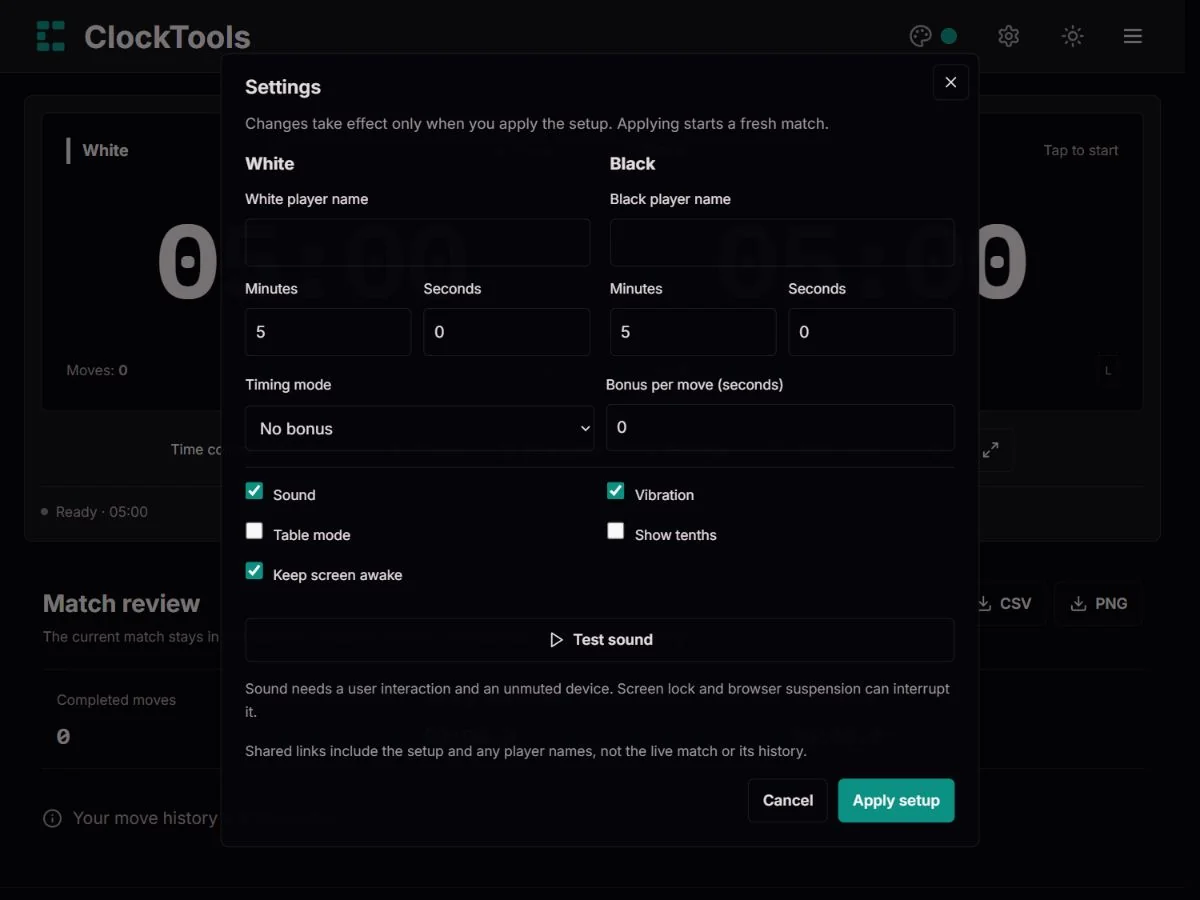
Choose a preset, or open Settings for individual starting times, player names and a bonus. Apply the setup before playing; changing a field alone never changes a live clock.
Tap the player who moves first. After moving a piece, tap your active clock to pass the time to your opponent. On a keyboard, A operates White and L operates Black.
Pause for an interruption, then resume without losing the time already spent on that turn. Finish the match when you agree its result, review the turn history and download a copy.
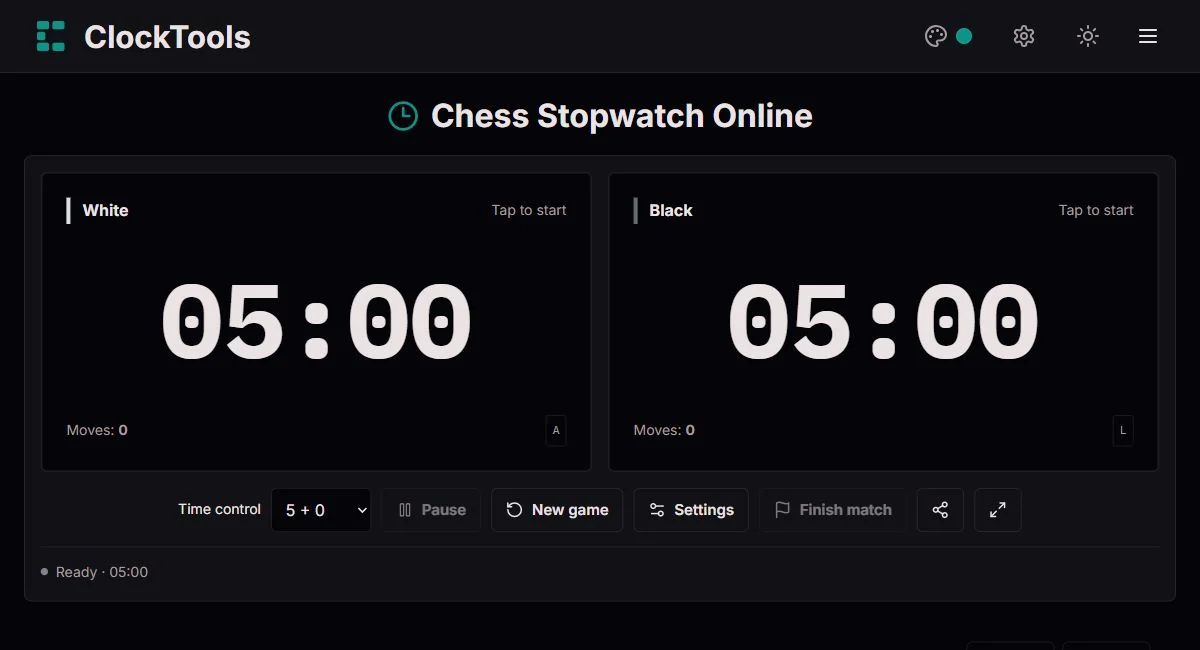
Try 5 + 0 for a brisk game or 15 + 10 when you want room to think. Table mode turns the White display toward the player opposite you; neither player needs an account.
Give a newer player ten minutes and a more experienced partner five. Unequal starting times make a useful training agreement, not an official handicap rating system.
Start with a short reserve and a small increment. Afterward, compare your longest turns with the positions you remember. The clock records thinking time, not the moves on the board.
Use linked clocks for checkers, Go, a debate or a classroom exercise. Agree the handover and finishing rules first: our simple delay is not Japanese byoyomi, Canadian overtime or a multi-period tournament clock.
Presets apply immediately to an unused match. Custom settings are confirmed explicitly, and a new-game confirmation protects an existing review. The displayed label always describes the committed setup.
Names help identify a coaching pair or a shared download. Each side can start with a different number of minutes and seconds. Shared URLs include those names, so leave them blank if you do not want them in a link.
Fischer increment adds the bonus after a completed move. Simple delay protects the beginning of a turn without banking unused allowance. The live delay indicator shows when the main reserve will begin to decrease.
The active face is the handover button. A and L still work after clicking a clock or toolbar button, but are ignored while editing a field or dialog. Space pauses or resumes; held keys do not count repeated moves.
For clocks below an hour, enable Show tenths for a more detailed readout; we show tenths automatically in the final ten seconds. This changes the display, not the underlying timing. Fullscreen enlarges the playing area and keeps the match controls available. Use Exit fullscreen or press Escape to return.
Test the short sound before playing, and use vibration where your browser supports it. Screen wake is requested only during a running match when enabled. It is released on pause or finish and may be refused by the device.
Every turn stays in the current tab, including an unfinished final turn. Thinking time, charged time and added increment have separate columns. Download the complete CSV or paginated PNG review with ClockTools branding.
Start at 03:00. Think for eight seconds: 02:52 remains. Complete the move and two seconds are added, leaving 02:54. A two-second move would restore the reserve to 03:00, but a move pressed after zero cannot rescue the clock.
Start at 05:00 with a three-second delay. A two-second turn leaves 05:00. An eight-second turn charges only five seconds, leaving 04:55. Any unused delay disappears at handover; a fresh three-second allowance begins on the next turn.
Think for two seconds, pause for ten, then think for another three. The turn contains five seconds of thinking, not fifteen. With a three-second delay, only two seconds are charged. Both measures remain visible in the review.
A chess position can be shared perfectly while thinking time cannot: one player may spend a minute finding a plan that another sees immediately. Linked clocks make that unequal use visible. The reserve belongs to each player, and the handover determines whose reserve is being spent. That is why a chess clock is not simply two stopwatches placed beside one another.
The physical engineering solved the same problem our interface solves today: starting one side must stop the other. In a casual game, this agreement keeps play moving. In competition, the clock becomes part of the procedure, alongside the board, the scoresheet and the arbiter.
The FIDE Open Chess Museum describes the Fattorini & Sons clock as two linked pendulum clocks on a rocking base. Tilting the assembly stopped one mechanism and put the other into its working position. Its account connects the linked-clock design with 1883 and the later commercial model with 1887.
That mechanical relationship is more interesting than a date alone. The object used balance and orientation to enforce mutual exclusion: only one player’s time ran. Modern buttons and software replace the pendulums, but the requirement remains. A handover that leaves both clocks running, or neither running unintentionally, defeats the purpose of the device.
Robert J. Fischer’s digital chess-clock patent, published in 1989, describes compensating players with time as the game progresses. Digital controls made such adjustments practical without asking a player or official to turn back a mechanical hand after every move.
Increment changes the experience of a small reserve: a player who keeps making moves promptly can continue to receive time. Delay provides breathing room differently, protecting the first part of a turn without accumulating unused protection. Our examples separate these mechanisms because calling both a “bonus” hides the strategic difference. Neither makes a game unlimited when a player fails to move before the available time expires.
A short control asks you to recognise familiar patterns quickly; a longer reserve lets you compare plans, calculate variations and verify an endgame. Your useful training question is not simply whether a move was slow. Ask whether the position deserved that investment, and whether spending so much there left too little for the next critical decision.
Our review helps you find those moments, but it cannot explain the chess without a scoresheet or your memory of the position. Pair a few long turns with board notes, then repeat a similar exercise. This makes the history useful for learning rather than turning the clock into an unsupported measure of playing strength.
FIDE Open Chess Museum · Fattorini chess clock · Robert J. Fischer · US4884255A
Timing mode. Our two-player timer subtracts elapsed performance.now() timestamps from the active reserve; it does not count animation frames. Pause saves accumulated thinking time. Delay charges max(0, thinking time − delay), while increment is added only after a valid completed move. Tests cover repeated pauses, asymmetric reserves, delayed rendering, full history and flag fall during move, pause or finish actions.
This is a single-period practice clock, not a FIDE-certified tournament device. We do not track the board, validate moves, adjudicate mating possibilities, add multi-stage time controls or recover a match after reloading. Sleep, browser suspension, a depleted battery and operating-system restrictions can affect timing or alerts. Keep the page open and awake; use an approved physical clock when an event requires one.
People use both terms for a two-player timer, but a chess clock normally counts each player’s reserve down. Only the side to move runs. Our tool uses that linked-countdown approach.
No. Under FIDE Article 6.9, the game is drawn if the opponent cannot checkmate by any possible series of legal moves. Our clock cannot see the board, so it reports time expired and leaves the result for you to confirm.
Under FIDE’s time definitions, ten minutes without increment is blitz. Rapid is more than ten and less than sixty minutes per player, including sixty times the increment. Bullet is a common informal label, not a separate category in those appendices.
Yes. A pause preserves both the thinking time already used and the remaining delay. Resume continues the same turn; it does not grant a fresh allowance.
Yes. CSV includes every recorded turn. PNG exports use pages of up to twenty turns so long matches stay readable. An unfinished last turn is labelled separately and is not included in the completed-move count.
No. It contains only the starting setup and optional player names. The match is kept in this tab, without an account or automatic local save. Download it before reloading or closing.
For a timing problem, tell us the preset or custom reserves, bonus, browser and device, whether the tab was hidden or the screen locked, and the sequence of pause and move actions. A CSV review can help reproduce the issue. Do not include private player information unless needed. We check reproducible errors and correct the tool or its explanation when warranted.
Report a problem