Halloween Costumes
How Do You Plan a Coordinated Halloween Costume With What You Already Own?
Build one recognizable group costume from different wardrobes by sharing a story, assigning roles and repeating one clear visual cue.
By Vigneshwaran Vijayakumar, Developer and Publisher | | Reviewed under the ClockTools editorial policy
Table of contents
A coordinated Halloween costume works when the group shares one unmistakable idea while each person keeps a distinct, comfortable role. Start with clothes and supplies everyone already owns, agree on one mood and effort level, then assign one identifying detail per person. The shared story creates the coordination; identical outfits are not required.
The ClockTools Halloween Costume Generator can turn that brief into a practical starting point. It filters 48 authored concepts by party type, age mix, mood, effort and a material-based ceiling. It does not invent endless outfits or quote a price. Use the result as a plan to adapt after checking fit, movement, visibility, materials and the rules of your event.
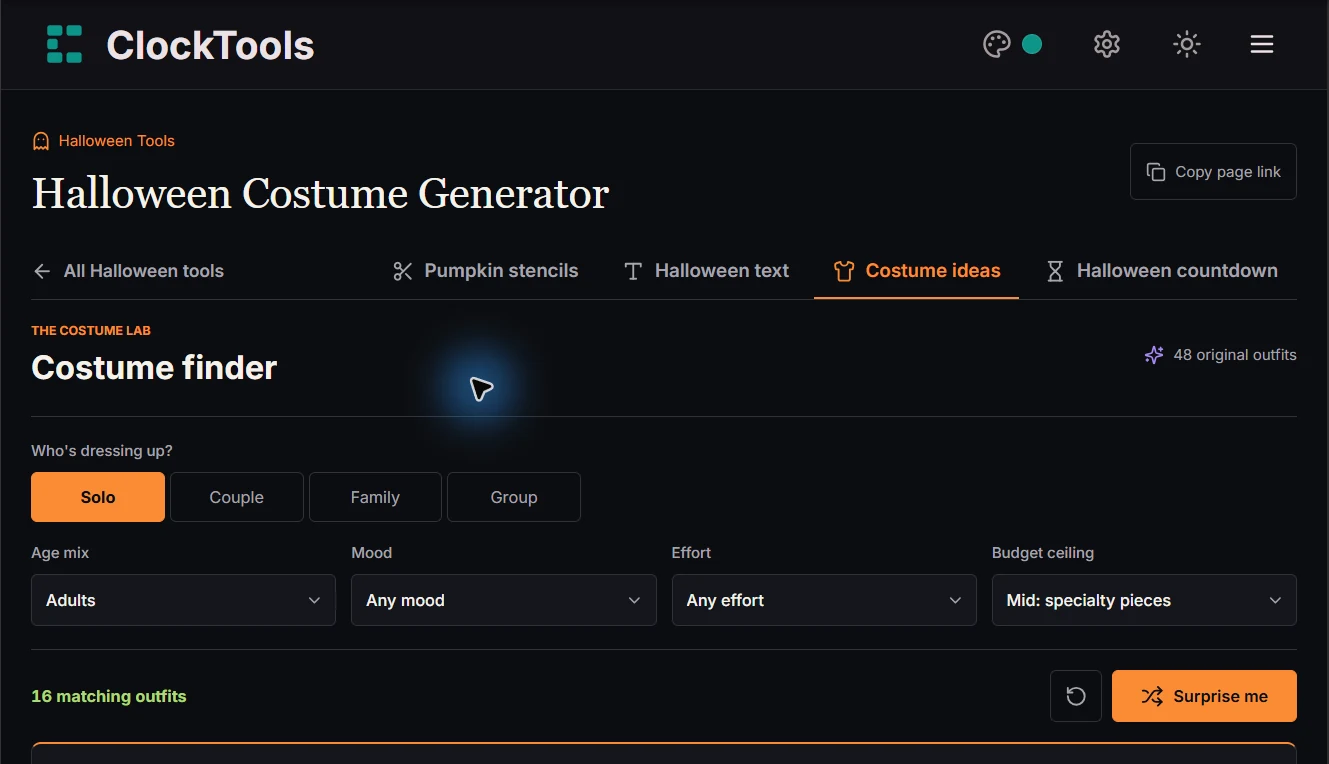
The live capture below shows only the visible filter state: Solo, Adults, Any mood, Any effort, Mid: specialty pieces, and 16 matching outfits. No costume result, material list or group roles are visible in this image.
What should the group decide before choosing a costume?
Do a ten-minute inventory before anyone shops or starts crafting. Each person should list a base outfit they can comfortably wear, two usable colors, simple paper or fabric supplies, and anything they will not wear. Also record practical limits: indoor or outdoor venue, expected walking, weather, mobility needs, required visibility and how much making time the group genuinely has.
Then settle four shared decisions:
| Decision | Useful question | Example answer |
|---|---|---|
| Group shape | Who is taking part? | Four adults |
| Mood | What should strangers understand first? | Low-key and playful |
| Effort | Is this assembly or a craft session? | Quick assembly |
| Material ceiling | What can everyone obtain without pressure? | Wardrobe clothes plus paper |
This order prevents a common coordination problem: choosing a clever concept first and discovering later that one person lacks the clothing, time or comfort needed to take part. A constraint is not an inconvenience to hide. It is part of the design brief.
How do you turn the filters into a useful brief?
In the costume finder, choose Solo, Couple, Family or Group, then select the age mix. Mood and effort narrow the style. The budget control is a ceiling on material categories, not an estimate in any currency. “Wardrobe + paper” is the strictest tier; higher tiers can also return concepts from lower tiers.
Read the match count before revealing an outfit. If no concept matches, the tool does not relax your restrictions in the background. Change one decision intentionally—perhaps allow DIY effort while keeping the material ceiling—or use Reset and discuss the brief again. That keeps the plan honest.
When a result appears, read it in this order:
- The concept sentence: can every participant explain the shared story in one line?
- The actual item list: which pieces already exist, and which need making?
- The coordinated roles: does everyone have a recognizable part?
- The finishing touch: can one repeated detail unite the group?
- The checklist export: is the plan clear enough to take away from the browser?
What did two controlled tool checks reveal?
Two narrow configurations show why filters matter more than repeatedly pressing Surprise me.
| Controlled configuration | Matching result observed | Planning lesson |
|---|---|---|
| Group, mixed ages, low-key, quick assembly, wardrobe + paper | The Walking Late-Night Playlist | One concept can coordinate four roles with ordinary solid-color tops and paper playback symbols. |
| Family, mixed ages, low-key, quick assembly, wardrobe + paper | Two matching concepts | A slightly different party type can keep the same effort and material ceiling while opening more than one viable story. |
In the group result, the roles are Play, Pause, Skip and Queue. The concept does not require identical clothes, speakers or real album art. Each person needs a solid-color top, one clear paper symbol and a shared invented track list. That is useful specificity: the group can recognize the concept, yet no one has to buy a matching costume.
When more than one match exists, Surprise me chooses only from the current matching pool and avoids the outfit already shown when an alternative is available. That is a way to compare viable plans, not a substitute for checking them.
How do you build one look from different wardrobes?
Use a role board before making anything. The example below applies the Walking Late-Night Playlist result to a hypothetical group of four. It is a planning model, not a measured price or preparation-time claim.
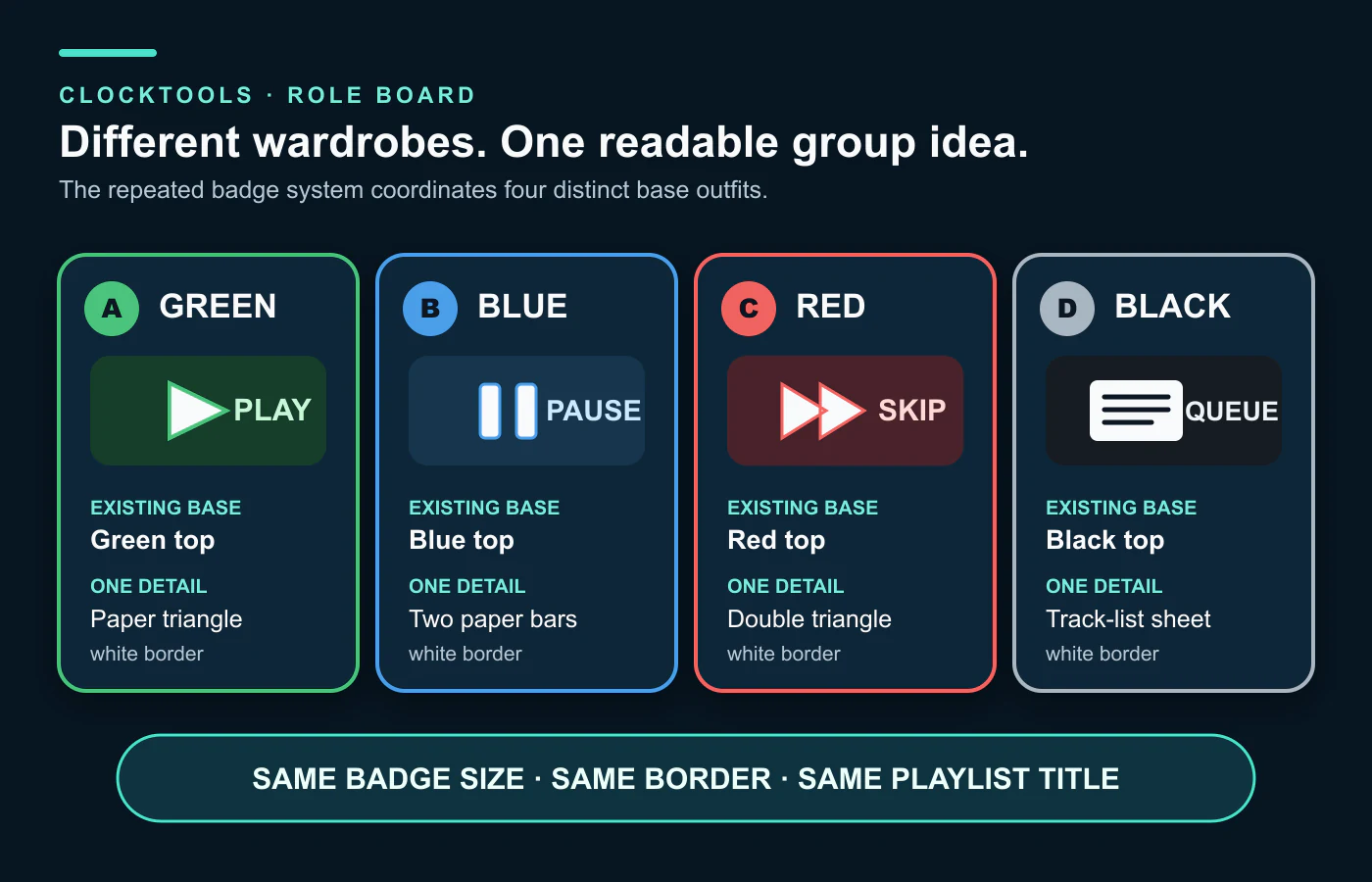
| Person | Existing base | Assigned role | One identifying detail | Shared cue |
|---|---|---|---|---|
| A | Green top and dark trousers | Play | Paper triangle badge | Same badge size |
| B | Blue top and jeans | Pause | Two-bar paper badge | Same lettering style |
| C | Red top and dark skirt | Skip | Double-triangle badge | Same white border |
| D | Black top and trousers | Queue | Paper track-list sheet | Same invented playlist title |
The repeated cues do the visual work. Keep the badge scale, border and title consistent; let the base colors vary. If people arrive separately, share a photo or measurements of the paper template rather than guessing. Do not cut valued clothing for a disposable detail. Use a removable attachment only after testing it on an inconspicuous area.
The same method works with another result: identify the base layer, assign roles, repeat one small cue, and remove any detail that is difficult, unsafe or uncomfortable.
How should roles be divided?
Do not automatically give the largest prop or most elaborate role to the most enthusiastic planner. Ask each person what they are willing to carry, attach, explain and wear for the whole event. A good assignment can survive sitting, walking, eating, using transport and taking a break.
For a family or mixed-age group, an adult should review every child's piece. “Suitable for child wearers” in the tool is a catalog filter, not proof that a garment, attachment or prop has been tested. Adapt the idea to the actual wearer and setting.
Save a favorite only after the group agrees. Favorites stay in the current browser's local storage; they do not automatically follow the group to another device. Copy the checklist or download the TXT version for a plan that matters. The exported list is unmarked, so temporary ticks in the browser should not be treated as the only record of progress.
What should you check for safety and respect?
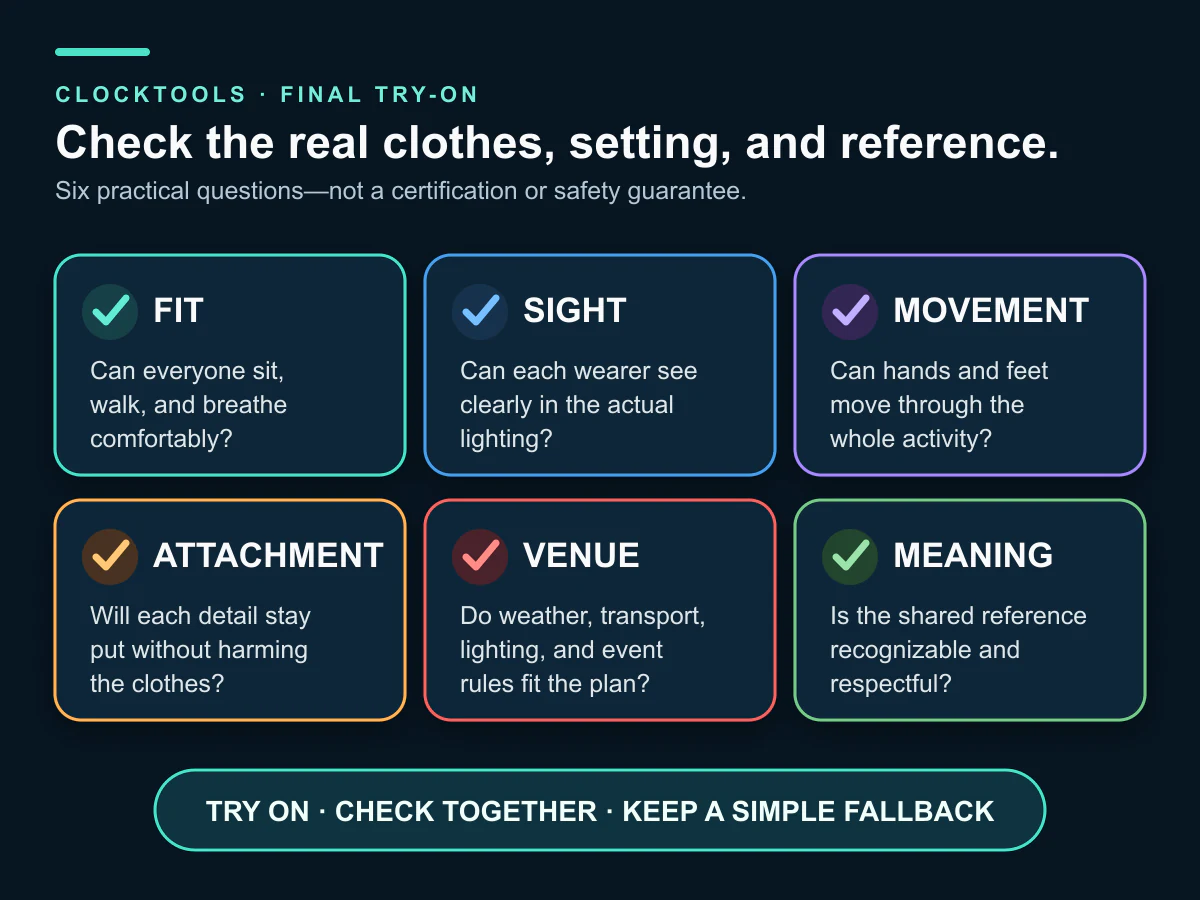
Run a full try-on while there is still time to change the plan. The U.S. Consumer Product Safety Commission's Halloween guidance recommends well-fitting costumes, clear visibility and attention to fire hazards. Check the real materials and venue rather than assuming a generated checklist has verified them.
Also ask what the joke or reference is and who could be reduced to a stereotype. The University of Texas at Austin costume and theme guide offers questions about intent, impact and group expectations. A fictional workplace, invented night train or imaginary constellation can supply a shared story without treating a living culture, identity, disability or religious practice as a costume.
What belongs in the final group checklist?
Use one owner and one deadline for each item. A compact final check should include:
- every base outfit confirmed by its wearer;
- every badge, prop and attachment assigned to a named person;
- a complete try-on for fit, sight, breathing, movement and comfort;
- a visibility check in the actual lighting expected;
- venue, weather and transport constraints reviewed;
- no loose cords, real flames or rigid sharp accessories;
- the shared title and repeated visual cue agreed;
- the reference checked for respectful intent and likely impact;
- a plain fallback for any piece that breaks or becomes uncomfortable; and
- the copied or downloaded checklist available outside one browser.
If the group still needs matching words for signs, badges or invitations, make them separately with the Halloween Text Generator and keep the phrase short enough to read. For event timing, the Halloween Countdown Timer can create a shared party target, but costume decisions should be finished before the final hour.
The goal is not perfect uniformity. It is a plan everyone can recognize, wear and adapt without last-minute pressure.
Frequently Asked Questions
Do coordinated Halloween costumes have to match exactly?
No. A shared story, consistent badge style or repeated color cue can coordinate different base outfits. Give each person a distinct role so the group reads as one concept without requiring identical clothing.
What should a group check before choosing a costume idea?
Confirm who is participating, available base clothes and supplies, comfort limits, venue, weather, walking needs, visibility and realistic effort. Treat those constraints as the design brief before choosing a concept.
What does the ClockTools budget filter mean?
It sets a ceiling on material categories, not a currency amount or spending guarantee. Check what the group already owns and price any missing items separately.
What happens when no costume matches the selected filters?
The tool keeps the restrictions instead of silently relaxing them. Change one filter intentionally, allow a different effort or material tier, or reset the brief and discuss it again.
Do saved costume favorites sync across devices?
No. Favorites use local browser storage. Copy or download the TXT checklist if the plan needs to move to another device or survive cleared browser data.
How should a group check a costume before the event?
Do a complete try-on and check fit, sight, breathing, movement, comfort, attachments, visibility, weather and venue rules. Remove or adapt any detail that is difficult, unsafe or uncomfortable.
About The Author
Vigneshwaran Vijayakumar
Founder, Developer and Publisher of ClockTools | Digital Marketing Manager | India
Vigneshwaran is an engineer with decades of technical experience, including professional work as a Digital Marketing Manager in Dubai. His work connects data analysis, search engine optimization, conversion-rate optimization, content systems, visual production, and applied AI and machine learning. At ClockTools, he turns that multidisciplinary experience into focused browser utilities and practical, source-aware guides.